Instagram Posting Guide
How to Post Your Content
Two quick tutorials to make sure your videos look as good online as they do off camera.
Tutorial 1 — Turn On High Quality Uploads on Instagram
1
Open the Instagram app on your phone.
2
Tap your profile picture in the bottom right corner to go to your profile.
3
Tap the three lines (☰) in the top right corner.
4
Tap Settings and privacy.
5
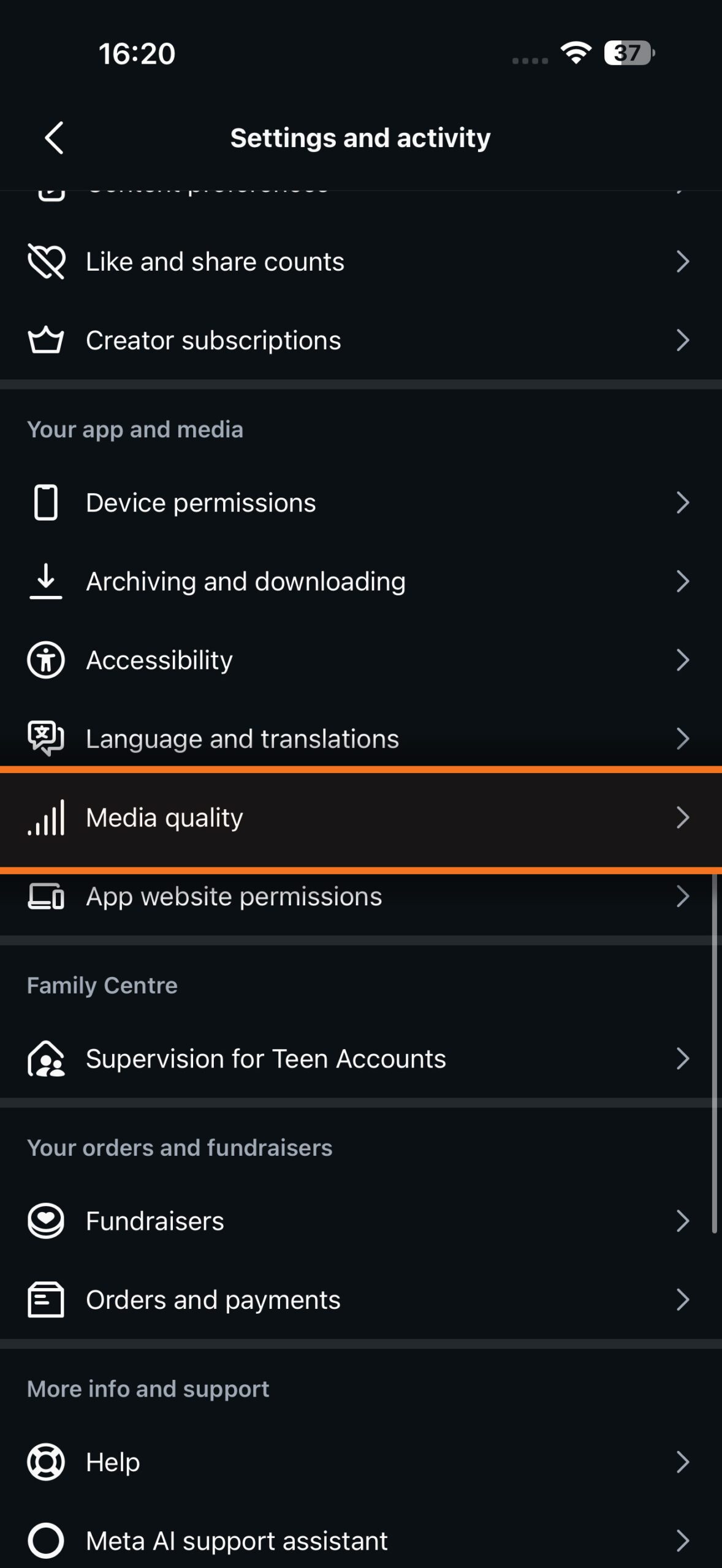
Scroll down and tap Media quality.
6
Turn on Upload at highest quality.
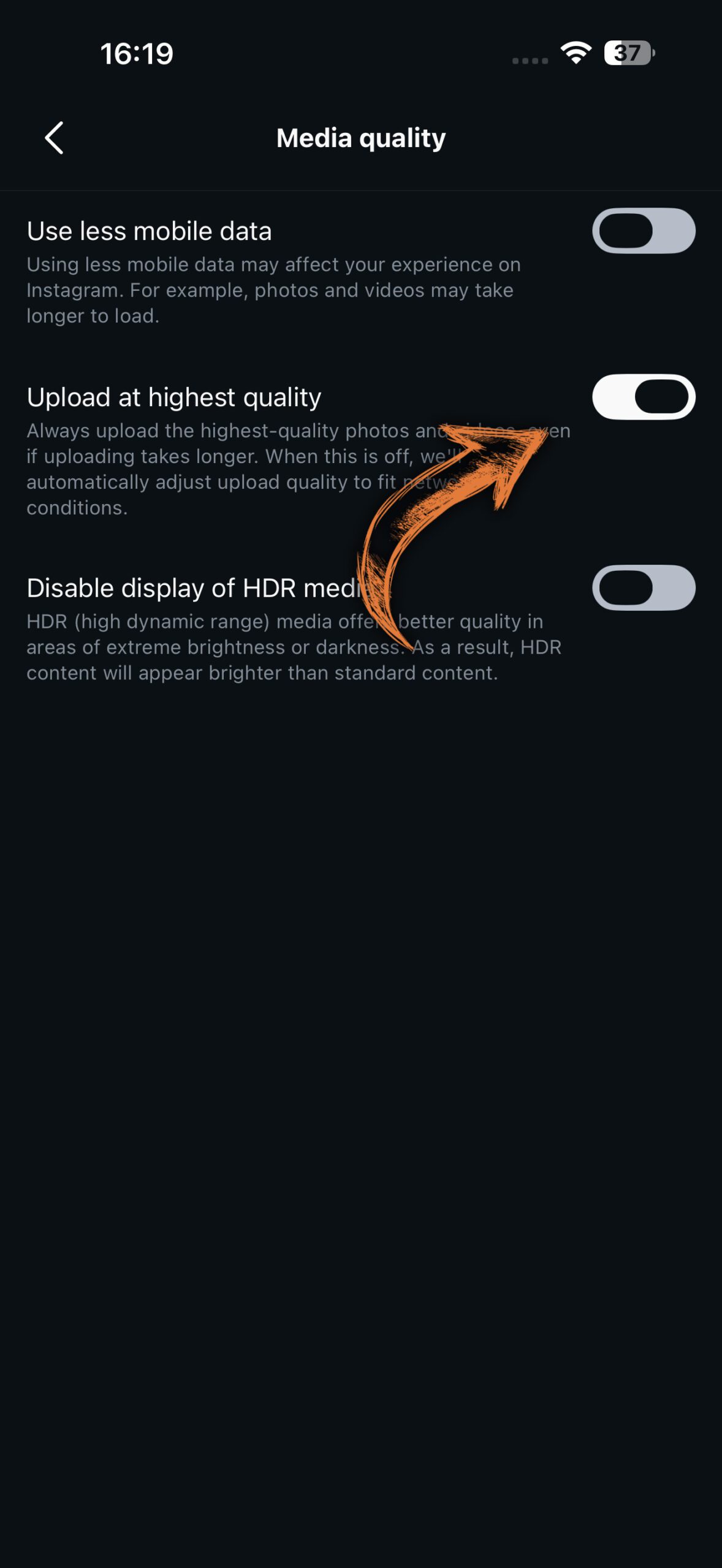
You only need to do this once — it applies to all future uploads automatically.
✓
Your video will upload in the best quality possible. Any content I deliver is already optimised for this workflow — just import and post.
KENJI MEDIA
hello@kenjimedia.com · kenjimedia.com